ARMSX2 is a PS2 emulator for Android phones and tablets. It helps you play PS2 games on your mobile device. The main goal of this emulator is to run games smoothly with good speed and fewer problems. The game speed and smoothness depend on your phone’s power. If your phone has a strong processor and enough RAM, games will run better. It is made to use the power of modern Android devices properly. The emulator updates regularly and improves over time. The game speed and smoothness depend on your phone’s power. If your phone has a strong processor and enough RAM, games will run better.
What is ARMSX2?
ARMSX2 is a free, open-source PlayStation 2 emulator for Android. It is built mainly for new, powerful phones with high-performance processors. It aims to give updated and open-source PS2 gaming support for Android, iOS, and other ARM devices. It tries to give better speed and game support than older emulators. The app is designed with modern technology, which helps games run more smoothly and look better on high-end devices. It supports many popular PS2 titles and gives users useful settings to adjust graphics, controls, and performance according to their phone’s power.
Key Features
Smooth performance: It is made to give good speed on strong phones. Many PS2 games can run more smoothly with better support.
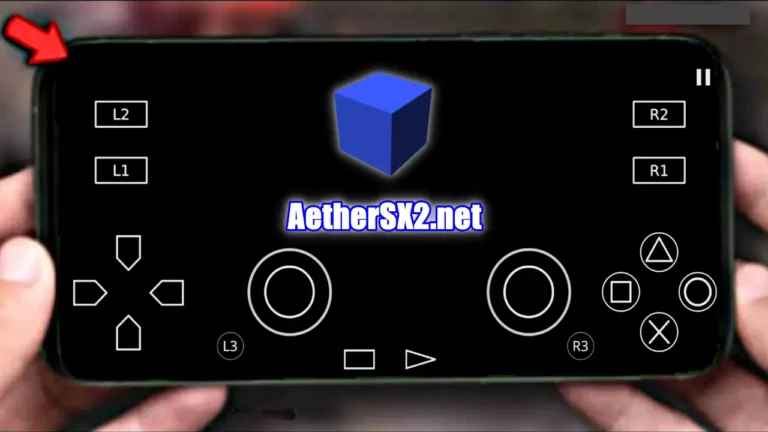
Control support: It has touch controls on the screen and also supports external game controllers. Players can choose the control type they like.
Graphics settings: It gives options to change graphics, like resolution and effects. You can adjust settings for better picture quality or faster speed.
Save states: You can save your game anytime and load it later. This helps you continue from the same point.
Easy interface: It has a simple and clear design. Anyone can easily load and play games without confusion.
ISO file support: It supports PS2 games in ISO format. You can easily open and play these game files.
Resolution and frame rate control: You can change the screen resolution and game speed (frame rate). This helps make the game smoother on your phone.
OpenGL renderer: It uses the OpenGL graphics system to show game visuals on your screen. This helps games run smoothly and display better graphics on supported devices.
ARM64 compatibility: It is made to work with ARM64 processors used in most modern smartphones. This helps the emulator run faster and more smoothly on new devices.
How to use ARMSX2?
It is very simple to use and easy to install on your Android phone. The app has a clear and simple design, so even beginners can use it without confusion. After you install it and finish the basic setup, you can quickly load and play your favourite PS2 games. You can also change graphics and control settings to make the game run better on your phone. Follow the steps below use it correctly:-
Visit aethersx2.net and download the latest version of ARMSX2 and the BOIS file.
After downloading, open the APK file and install the app on your Android device.
Open the app and allow all required storage permissions.
Place the PS2 BIOS file in a folder inside your phone storage.
Go to the app settings and select the BIOS file to complete the setup process.
Move your ISO game files into that folder.
Adjust graphics, resolution, and performance settings according to your device.
Select your game from the list and tap to start playing.
Use the save and load option anytime to manage your game progress easily.
visit aethersx2.net and open the ARMSX2 download page.
Tap on the latest download link.
Wait until the APK file finishes downloading on your phone.
Open the downloaded file from your Downloads folder.
Allow “Install from unknown sources.”
Tap on Install and wait for the app to install.
After it is installed, open ARMSX2 and start using it.
How to install ARMSX2?
First, download the ARMSX2 APK file and BIOS file from our website.
After downloading, open the file from your Downloads folder.
Allow “Install from unknown sources.”
Tap on Install to start installing the app.
Wait a few seconds until the app is fully installed.
Tap Open to launch apk.
Allow storage permission when the app asks for it.
Copy your PS2 BIOS file into a folder in your phone storage.
Open the app settings and choose the BIOS file to finish the setup.
After setting the BIOS, add your PS2 ISO game files and start playing.
System Requirements
Android Version: Android 8.0 or higher.
Processor: ARM64 processor (Snapdragon, MediaTek, or similar).
RAM: At least 4GB RAM.
Storage: Minimum 2GB free space for app and game files.
Troubleshoots
Game not showing in the app: Make sure the game file is in ISO format and saved in the correct folder. Refresh or rescan the storage in the app.
App crashing: Update ARMSX2 to the latest version. Restart your phone or reinstall the app if the problem continues.
BIOS file not found: Check that the BIOS file is placed correctly in your phone storage. Go to settings and select the BIOS file manually.
Black screen when starting a game: Lower the graphics settings or change the renderer option. Also, check if the game file is working properly.
Controls not working properly: Reset the control settings or reconnect your external controller again.
No sound in the game: Check your phone volume and game sound settings. Restart the app to fix small sound problems.
Phone getting hot: Lower the graphics settings and do not play for a very long time. Avoid playing while charging if the phone heats up.
Game freezing while playing: Save your game often and restart the app. Try using lower performance settings.
App not installing: Allow “Install from unknown sources” in settings. Download the APK file again if it was not downloaded properly.
Poor performance on weak phones: ARMSX2 works better on strong phones. Use low graphics and lower resolution for smoother gameplay.
Conclusion
It is a strong and simple PS2 emulator for Android phones that helps you play your favourite PlayStation 2 games on mobile. It is made for modern and powerful devices and gives good speed and smooth gameplay. The app also lets you change graphics and control settings to match your phone’s power. Since it gets regular updates and improvements, it keeps getting better over time. If you set it up correctly with the BIOS and game files, it can give you a smooth and fun PS2 gaming experience on your phone.
FAQs
Yes, you must add a PS2 BIOS file to run games in the app.
It supports PS2 games in ISO file format.
Games can be slow if your phone is not powerful. Lower the graphics settings to make it run better.
Yes, you can use on-screen touch controls or connect an external controller.
You need Android 8.0 or higher to use it.
It works best on new phones with ARM64 processors and at least 4GB RAM.